Auto Login Link on WhatsApp
Print- Auto Login, whatsapp
- 1
Auto Login allows the sending of an automatic login link through WhatsApp, using the Whatsapp API Addon.
In this tutorial, we will walk you through the steps to send the Auto Login link via WhatsApp
NOTE: To perform this procedure, it is necessary to have the Whatsapp API Addon.
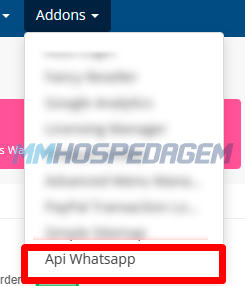
1 - Access your WHMCS administration panel, click on Addon > Whatsapp API
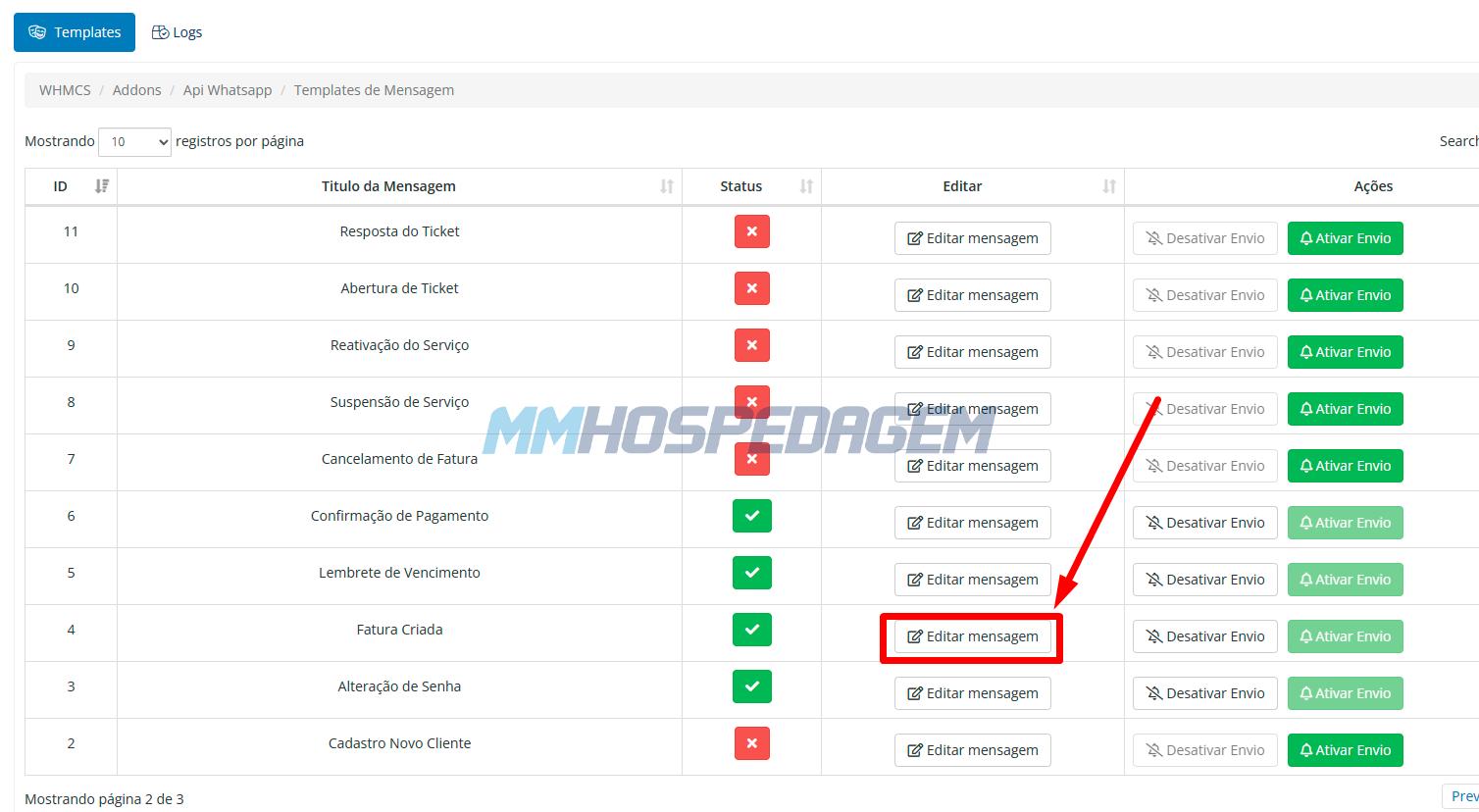
2 - Click the Edit message button on the template you want to edit. In the example below, we are editing the Invoice Created template:
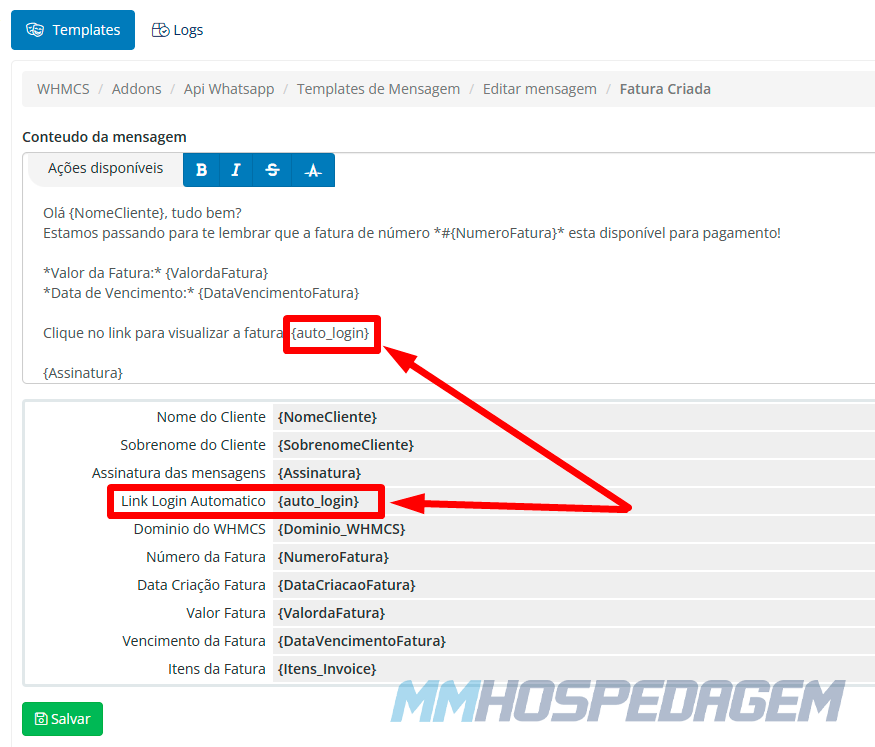
3 - Insert the tag {auto_login} where you want to display the automatic login link and click Save:
Note: The tag {auto_login} will only appear in compatible templates
Once this is done, whenever an invoice is generated, your client will receive the message with the automatic login link.